
01
Import a hand
Load your CoinPoker hand histories. Heads-up postflop decisions get solved; multiway hands are listed, not solved. PokerStars and GGPoker are coming soon.
In the beta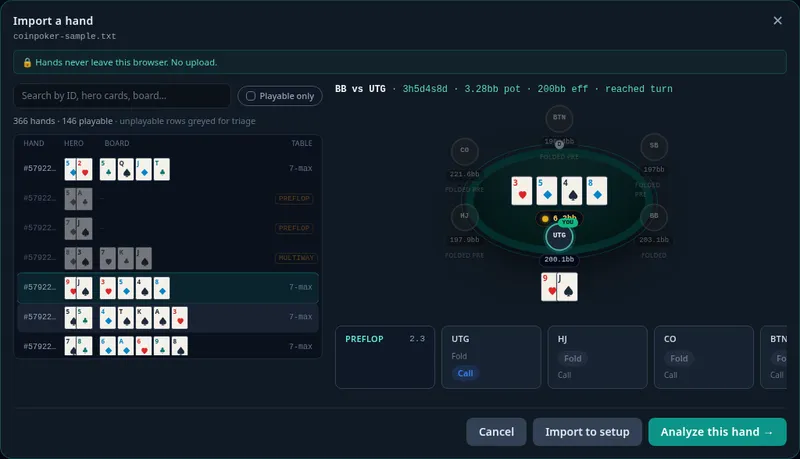
Import a CoinPoker hand, see the EV you lost at each decision, then drill in the trainer until the better play sticks.
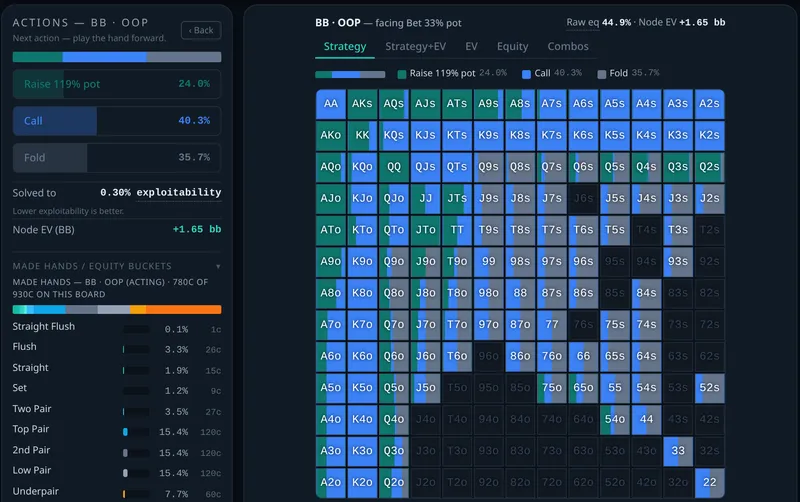
Solver strategy view: BB vs BTN SRP, A♠K♠Q♠, BB facing a 33% bet
Load your CoinPoker hand histories. Heads-up postflop decisions get solved; multiway hands are listed, not solved. PokerStars and GGPoker are coming soon.
In the betaEvery heads-up postflop decision gets its EV loss in big blinds. Start with your biggest mistake and follow the solver's line from there, street by street.
In the beta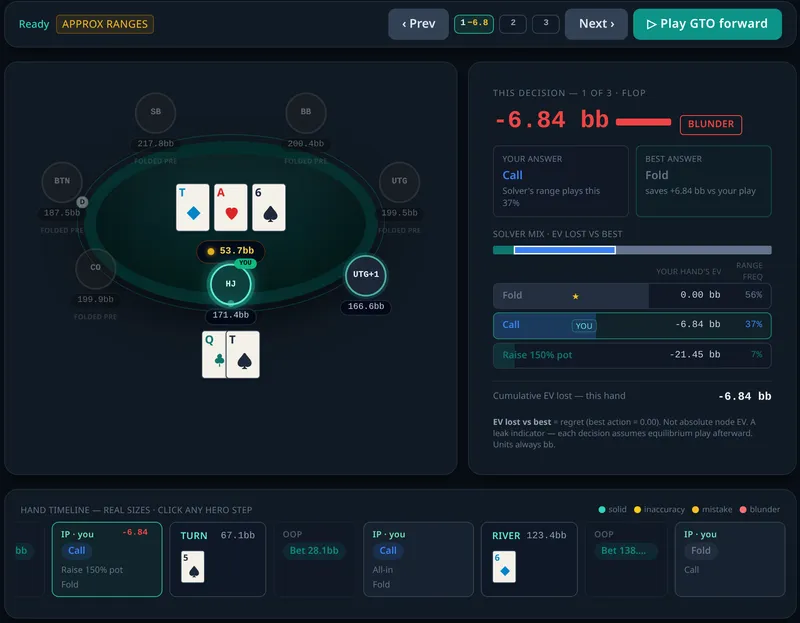
Drill in the trainer: preflop, postflop and full-hand drills scored against solver data, with the EV loss of each choice, not just right or wrong.
In the beta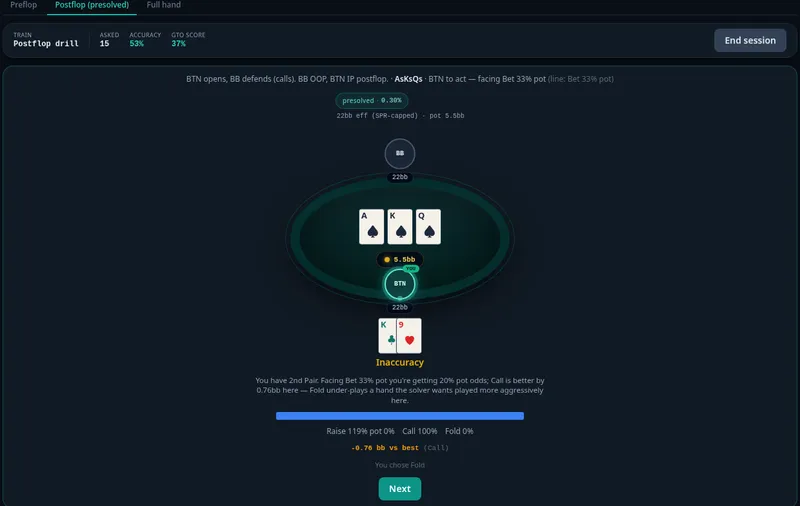
Output from the GTO Quant solver. Solved to within 0.30% of pot of GTO.
Build heads-up postflop spots: your board, ranges and bet sizes, at the stack depth you played. Strategy grid, EVs and every runout.
Import CoinPoker hands and see the EV lost at each heads-up postflop decision, with the solver's line from there.
Preflop, postflop and full-hand drills scored against solver data, with EV-loss feedback on every choice.
Push/fold charts with ICM variants, plus labeled approximate cash 100bb charts.
Range builder, equity calculator, odds calculator for up to 9 hands, poker math.
We only call something live once it ships.
“I play online and wanted to find the leaks in my own hands with a real solver: see where I lost EV, then drill until the better play stuck. So I built GTO Quant.”
It shows you where you lost EV in your own hands, decision by decision, and lets you drill preflop, postflop and full-hand spots in the trainer, scored against a real solver. You study your actual mistakes and make better decisions next session.
CoinPoker hand histories at launch. PokerStars and GGPoker are coming soon.
A real solver. GTO Quant runs a CFR-based solver (Discounted CFR) in your browser and shows the exploitability of each solve, so you can see how close to equilibrium it got.
Soon. We're finishing the launch build. Join the list and we'll let you know the day it opens.
We plan a free tier and one paid plan. We'll share prices before anything is charged.
It depends on the tree and stack depth. As a guide, one real hand took about 110 seconds at 32bb and about 6 minutes at 99bb on a recent laptop (Apple M4). Wide custom trees can take longer. You'll see the strategy forming while it solves.
No. The solver is heads-up postflop. Multiway hands in an import are listed but not solved.
GTO Quant is built for a laptop or desktop browser. Solving is heavy work.
No. GTO Quant is for off-table study only. Using any solver during play breaks most sites' rules.
No. Hand histories are processed in your browser. This site uses standard web analytics (Google Analytics and Cloudflare) to count page visits. They never see your hands.
Join the list and we'll let you know when the GTO Quant beta opens.